Apple Watch Swimming App
Every part of your swim, live on your wrist.
Use a real-time pace clock, follow structured sets, read coach workouts, monitor heart-rate zones, choose team sessions, and customize every Watch page around the way you train.

The complete Swimio experience on Apple Watch.
Every wrist-based feature: the pool pace clock, live guidance, training data, team workouts, and the controls that let you arrange them.
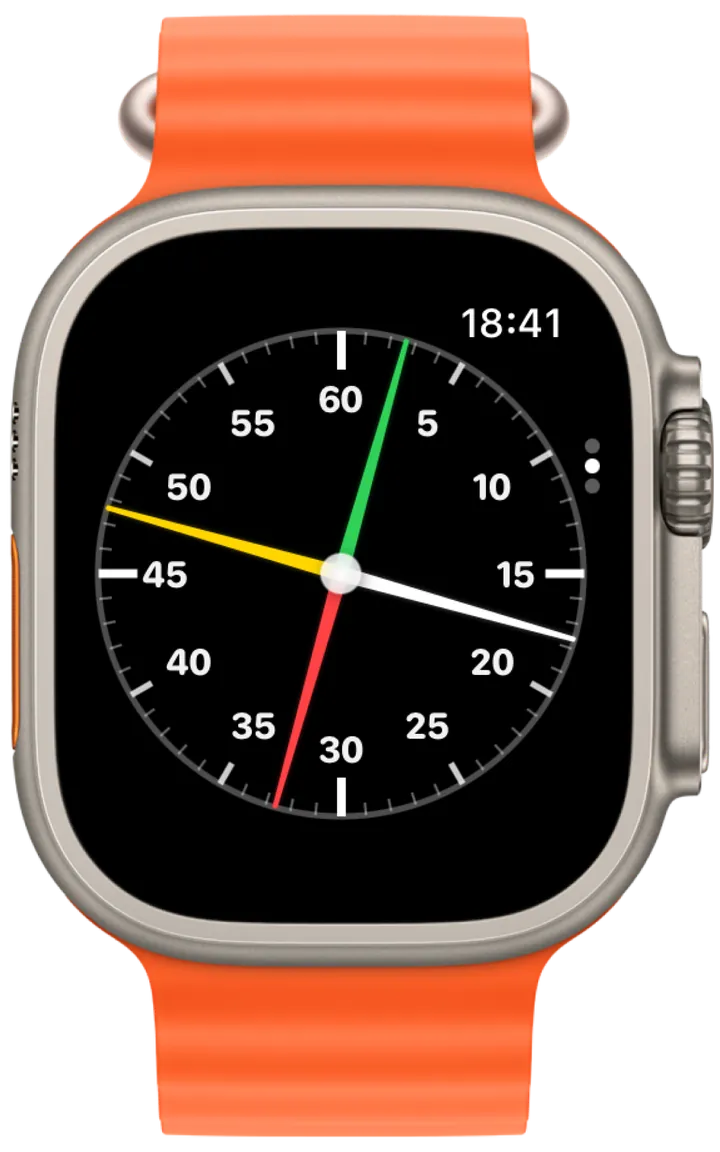
Live swimming pace clock
The pool clock, always visible on your wrist.
Swimio brings a high-contrast analog pace clock into the water so interval starts and send-offs stay easy to read from the wall.
- Use a familiar 60-second analog face for send-offs and interval timing.
- Keep the current time visible without looking across the pool.
- Combine pace-clock timing with structured workout guidance.
- Choose whether the pace clock appears in your Watch page rotation.
Guided structured workouts
Know the current set, target, and what comes next.
Structured guidance keeps the workout readable while you swim. Current repetitions, stroke, send-off, target zone, and next exercise remain close at hand.
- Follow workouts built manually, generated by AI Coach, or created with Smart Import.
- See the active set, repetitions, distance, stroke, and interval target.
- Keep the next exercise visible during transitions and recovery.
- Use color-coded intensity guidance without interrupting the session.
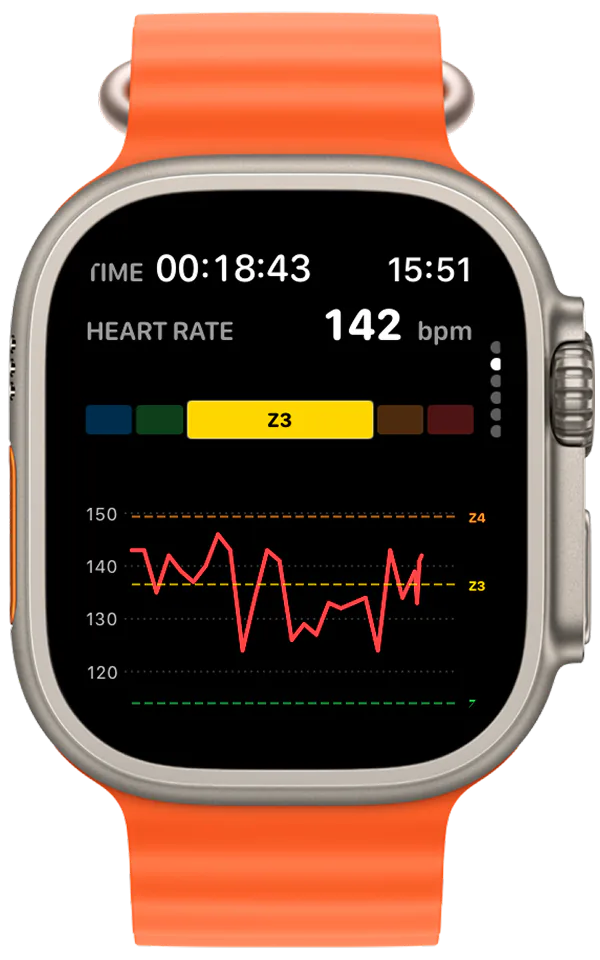
Live metrics and heart rate
See effort, pace, and progress while they can still change the swim.
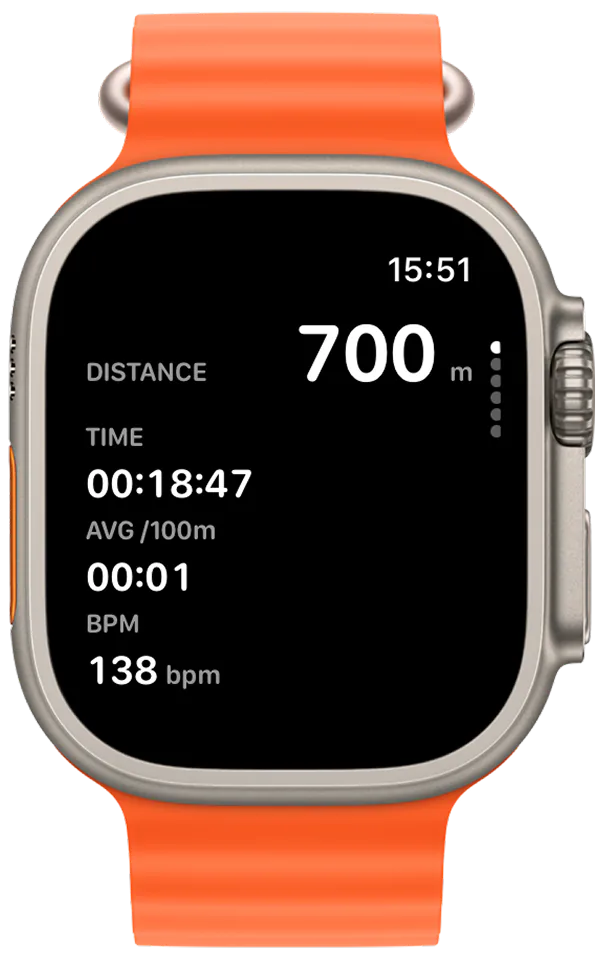
Choose a concise live summary or a dedicated heart-rate view. Swimio keeps the numbers large and the training zones visually distinct between repeats.
- Track distance, elapsed time, average pace, and current heart rate.
- Follow a live heart-rate trend across the workout.
- See your current zone with clear, color-coded feedback.
- Use the data during the session instead of waiting for the post-swim summary.
Text workout view
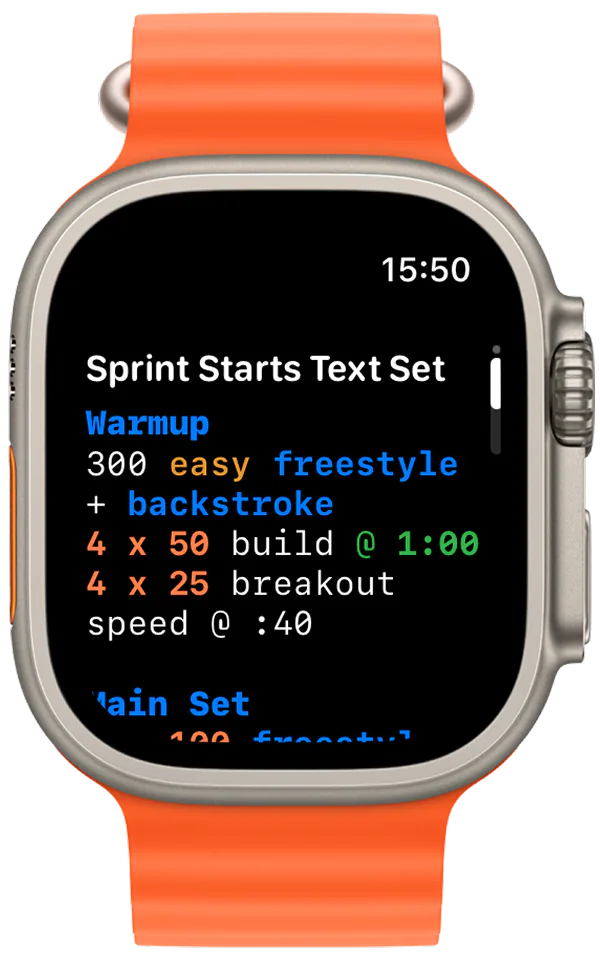
Bring the coach-written set into the water exactly as written.
Some swimmers want the full set, not only the current interval. The text view keeps longer coach notes and multi-part sessions readable from the wrist.
- Read warm-ups, main sets, cool-downs, and coach notes on Apple Watch.
- Preserve the language and structure of a text-based workout.
- Scroll through longer sessions without returning to the phone.
- Use text workouts alongside guided and metric-focused pages.
Workout list and team sessions
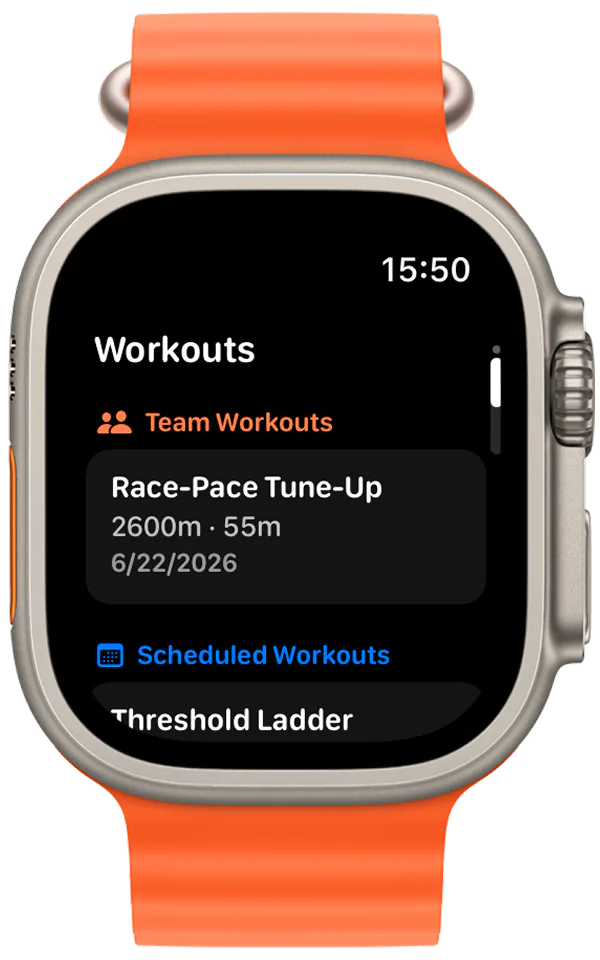
Choose personal, scheduled, and team workouts from the Watch.
Your wrist can be the starting point as well as the guide. Swimio organizes available sessions so you can find the right workout before entering the water.
- Browse team workouts assigned or shared with your squad.
- Open scheduled workouts prepared for a specific training day.
- Review the workout title, distance, duration, and date before starting.
- Move from workout selection into live guidance without rebuilding the set.
Apple-style workout view
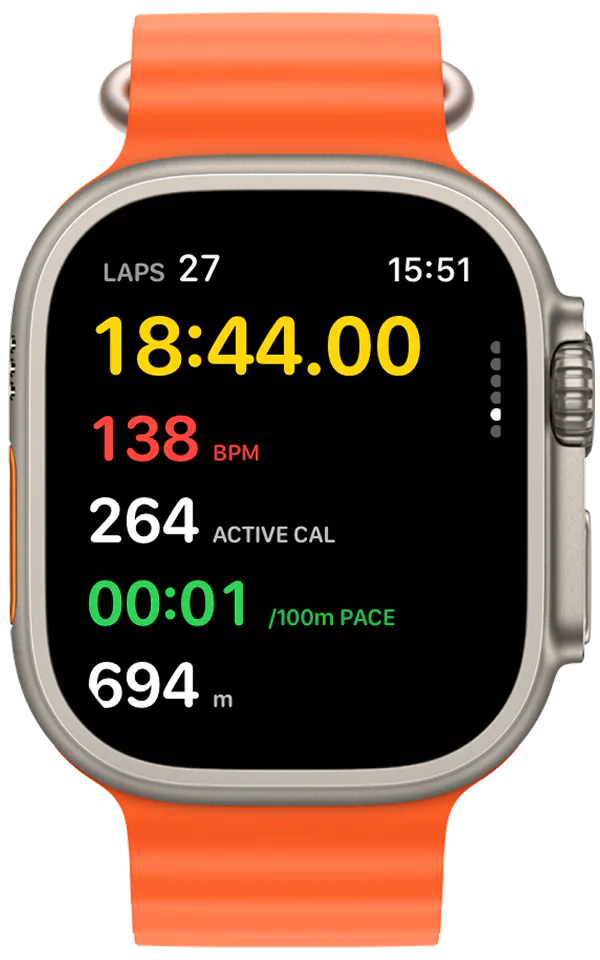
A native-feeling metrics view for open swimming sessions.
When you want a familiar Apple-style training screen, Swimio can keep the most important live measurements prominent and glanceable.
- See elapsed time, active calories, heart rate, distance, and pace together.
- Use large, high-contrast metrics that remain readable around water and motion.
- Keep automatic lap and workout tracking close to Apple Watch conventions.
- Include or hide the page as part of your personal Watch setup.
Complete Watch customization
Build the wrist experience around the way you train.
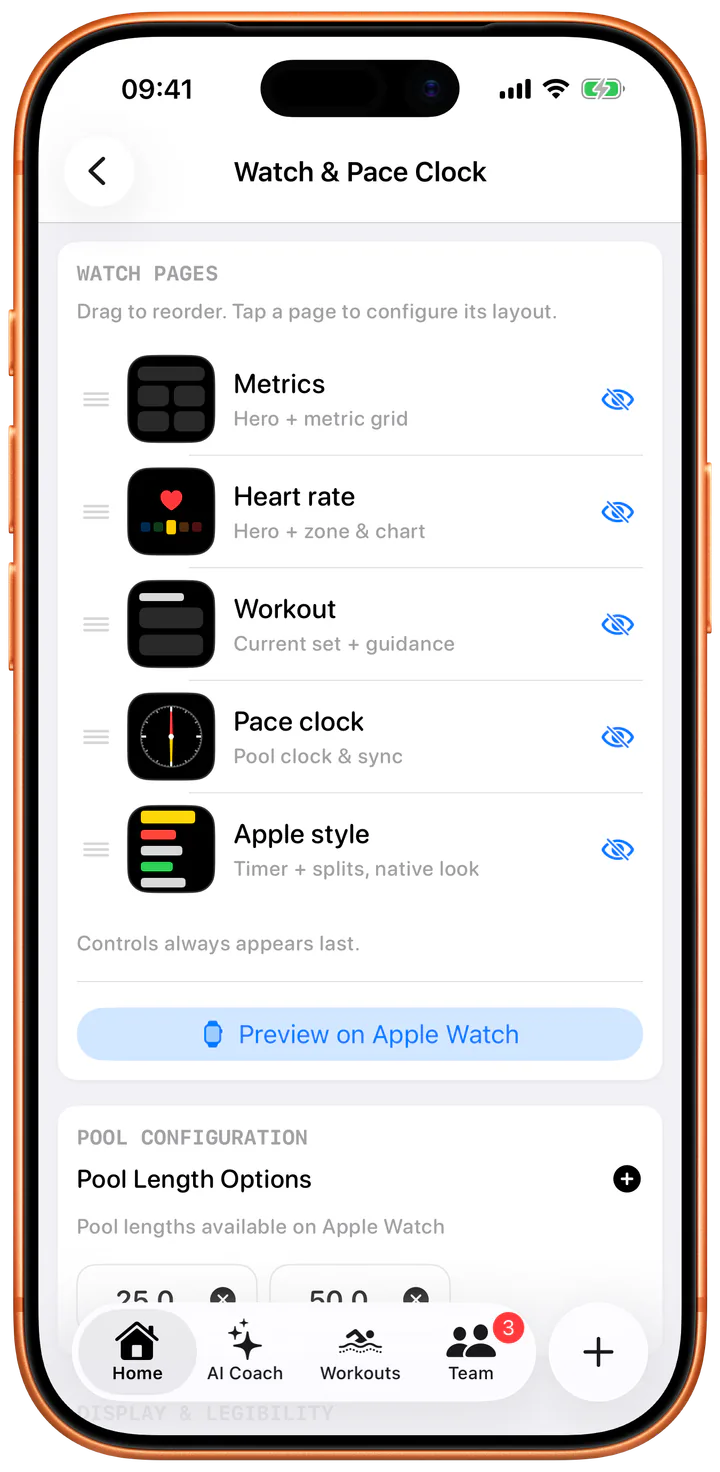
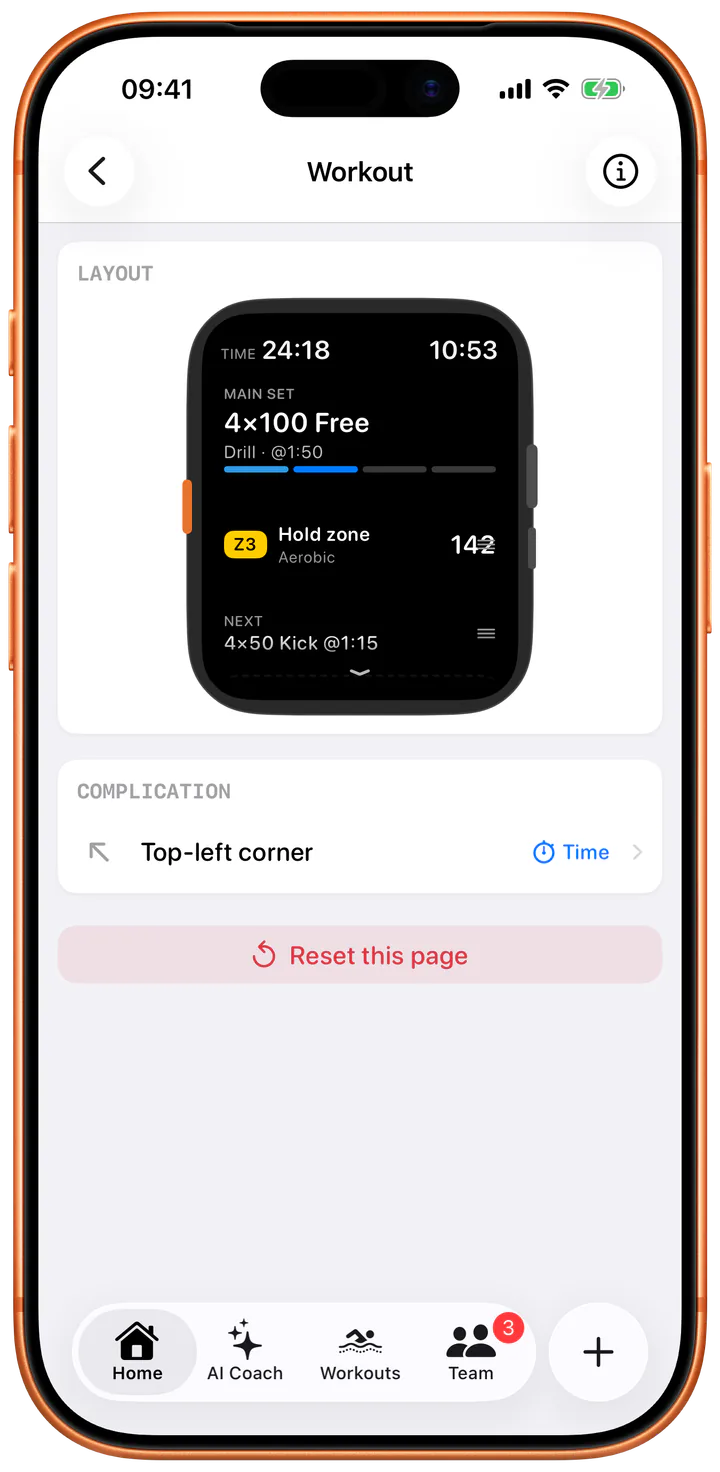
Swimio lets you configure the Watch before you reach the pool. Select the pages you want, arrange their order, and decide exactly what an individual workout view should emphasize.
- Reorder metrics, heart-rate, workout, pace-clock, and Apple-style pages.
- Show or hide individual Watch pages and preview the result from iPhone.
- Choose a hero metric and supporting metric grid for a workout page.
- Configure page layout, time placement, and pool-length options.
Plan on iPhone. Swim from Apple Watch.
The phone handles detailed planning and setup; the Watch keeps the right instruction and feedback available in the water.
- 01
Build, generate, or import
Create the workout visually, use AI Coach, paste a text set, turn a whiteboard photo into a session, or choose a team workout.
- 02
Choose your Watch experience
Order the pages, select metrics and layouts, configure the pool, and send the session to your wrist.
- 03
Follow, measure, and review
Use live guidance and metrics in the water, then review the completed workout, pace, splits, heart rate, and load on iPhone.
Built for the changing rhythm of pool training.
A set is stop-start: swim, read the wall, breathe, go again. Swimio is built so the part of the session you need is on screen at that second, not two taps away.
The pace clock supports timing, the workout views support structure, and live metrics support decisions about effort. Text and workout-list views preserve the context supplied by a coach or team.
After the swim, HealthKit sync and post-swim analysis connect what happened in the water to your broader training history, readiness, and next AI Coach recommendation.
All in one app
- Analog pace clock plus live interval and rest timing
- Structured current-set and next-exercise guidance
- Live distance, pace, time, calories, and heart-rate zones
- Text workouts, scheduled workouts, and team workout lists
- Custom page order, visibility, metrics, layout, and pool settings
- HealthKit workout and metric sync
Apple Watch swimming questions
What does Swimio show during an Apple Watch swim workout?
Swimio can show a live analog pace clock, the current structured set, upcoming intervals, rest, pace, distance, elapsed time, calories, and color-coded heart-rate zones. You can customize the available pages from iPhone.
Can I send a structured swim workout to Apple Watch?
Yes. You can build a workout, generate one with AI Coach, convert text or a whiteboard photo with Smart Import, or select a scheduled team workout, then send the structured session to Apple Watch.
Can I use Swimio as a swimming pace clock?
Yes. Swimio includes a high-visibility analog pace clock designed for pool intervals, plus digital work, rest, lap, pace, and elapsed-time views during the workout.
Can I customize the Apple Watch workout screens?
Yes. On iPhone you can reorder Watch pages, choose which pages are visible, select metrics, change the hero metric and layout, preview the result, and configure pool-length options before swimming.
Does Swimio sync with Apple Health?
Yes. Swimio integrates with HealthKit so completed workouts, heart rate, distance, pace, and related fitness metrics can stay connected to your Apple health and training history.
Do I need an Apple Watch to use Swimio?
No. Swimio can be used on iPhone for workout planning, AI coaching, and analysis. Apple Watch adds live wrist-based guidance, pace-clock features, and in-water metrics.
Read next
Create the right workout before you reach the pool.
How the AI Coach reads your recent training, generates a session, structures a coach's text set, and keeps every rep editable.